








Open Asset Package
Games ship an astonishing number of files. Textures, meshes, audio, shaders, scenes, scripts — a single modern title can easily contain tens of thousands of individual assets. Managing this “asset tax” is one of the quiet challenges of game development.
Traditional archive formats such as Tar and ZIP remain common fallbacks, but they were designed for very different environments. Tar originated in the late 1970s for magnetic tape systems, while ZIP was introduced in the late 1980s to improve storage efficiency on floppy disks. Both remain useful general-purpose formats, yet neither was designed around the way modern game engines load and stream assets.
As projects grow, engines frequently adopt specialized packaging systems of their own. Unreal Engine uses .pak files, Unity relies on Asset Bundles, Godot distributes exported projects using .pck archives, and raylib provides the open rres format. Each addresses a subset of the same problems, but they are typically tied to specific ecosystems, tooling, or assumptions about how assets should be organized.
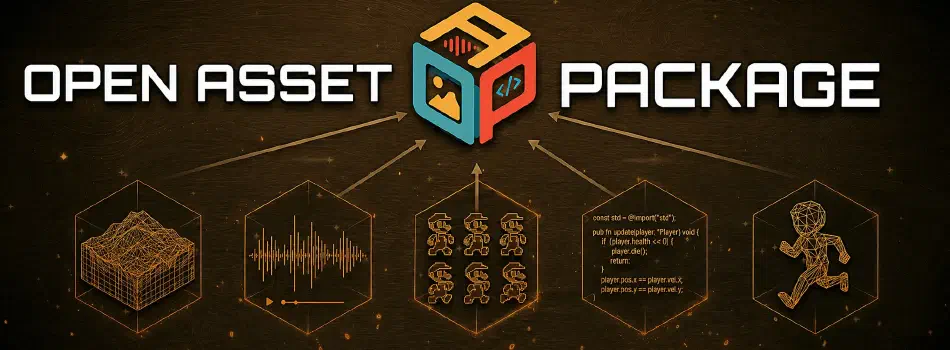
Open Asset Package (OAP) is an attempt to address these challenges with an open, engine-agnostic format designed specifically for modern game asset workflows.
The core problem
Game engines typically need three capabilities from an asset container:
- Random access, allowing a single asset to be located quickly without scanning through an entire archive.
- Streaming support, enabling assets to be fetched incrementally using HTTP range requests rather than downloading large monolithic files.
- Stable identity, ensuring that asset references remain valid even when filenames, directory structures, or packaging strategies evolve.
Traditional archive formats only partially address these requirements.
Tar was designed for sequential media. Finding a particular file requires traversing archive entries one after another, resulting in linear lookup times. When combined with stream compression such as tar.gz, extracting a single asset requires decompressing the entire archive.
ZIP improves substantially by introducing a central directory that allows direct lookups. However, the directory resides at the end of the archive, local headers duplicate metadata, and encryption support has evolved through multiple extensions over the years. ZIP remains a flexible general-purpose archive format rather than a system optimized for asset streaming and stable asset identities.
Game engine formats often solve these limitations in ways that reflect the priorities of their respective ecosystems.
Unity Asset Bundles prioritize integration with Unity’s editor and runtime. Early implementations relied heavily on monolithic LZMA compression, while newer versions introduced chunked LZ4 compression to improve loading behavior. Despite these advances, the format remains closely tied to Unity itself.
Unreal’s PAK format is among the most feature-rich approaches, supporting advanced compression methods, encryption, and layered package mounting. However, it is deeply integrated into Unreal’s virtual file system and asset pipeline.
Godot’s PCK format focuses on simplicity and seamless engine integration. Assets are primarily identified by path, and the packaging system is designed around Godot’s export process rather than general-purpose asset management.
Raylib’s rres is perhaps philosophically the closest relative to OAP. It offers an open specification with support for compression and encryption while maintaining a lightweight implementation. It intentionally leaves concerns such as dependency management and large-scale asset identity to higher-level systems.
OAP was designed to address these requirements directly: fast random access, efficient streaming, stable asset identities, and explicit dependency relationships in a format that is independent of any particular engine.
Design highlights
Fixed-size header: OAP organizes packages using a straightforward index-last layout. A fixed-size header is stored at the beginning of the file, while a sorted index resides at a known offset near the end. Asset data occupies the space in between. Opening a package therefore becomes a simple process: read the header, jump directly to the index, and perform a binary search to locate the desired asset. No scanning through asset contents is required. When packages are hosted remotely, locating an asset typically requires only two HTTP range requests: one to retrieve the header and another to access the index.
Independent asset features: Compression and encryption are defined on a per-asset basis rather than at the package level. One asset may be stored without compression for fast loading, while another may use DEFLATE compression and ChaCha20 encryption. Reading a single asset never requires decompressing or decrypting the entire archive. Encryption keys are intentionally excluded from the package itself, providing protection against casual extraction without attempting to function as a digital rights management system.
Asset identity: OAP separates asset identity from filesystem organization. Assets are identified using stable 128-bit identifiers, while human-readable paths are treated as metadata rather than primary keys. This enables practical workflows for patches and downloadable content. A small package containing only modified assets can be mounted alongside an existing package, and lookups resolve using asset identifiers rather than filenames. Renaming or reorganizing files no longer invalidates references throughout a project.
Asset dependency graph: OAP allows assets to declare dependencies directly within the package index. Materials can reference textures, scenes can reference meshes, and prefabs can reference supporting resources. By making these relationships explicit, engines can construct loading graphs, perform dependency analysis, and implement more sophisticated streaming strategies without relying on separate metadata systems.
Technical specification
The OAP format is documented independently in SPEC.md. The specification is language-agnostic and intentionally small: a conforming reader requires only little-endian integer parsing, a CRC-32/ISO-HDLC implementation, and a raw DEFLATE decoder — all of which ship in every major standard library. A minimal reader is a few hundred lines in any language with byte-buffer access. Alternative implementations in other languages are explicitly welcome; the repository includes a porting guide (docs/implementing.md) and a canonical test fixture (testdata/sample.oap) to validate against.
How it compares
General-purpose archive formats
| Feature | tar.gz | ZIP | OAP |
|---|---|---|---|
| Open specification | Yes | Yes | Yes |
| Asset lookup | Sequential O(n) | Central directory O(1) | Sorted binary-search index O(log n) |
| HTTP range-friendly | Poor | Limited | Excellent |
| Per-asset compression | No (whole-archive only) | Yes | Yes |
| Per-asset encryption | External only | Legacy / AES extensions | ChaCha20 per asset |
| Stable asset identity | No | No | Yes (128-bit ID) |
| Integrity checking | None | Optional CRC-32 | Mandatory CRC-32 |
| Dependency tracking | No | No | Yes |
| Typical entry overhead | 512 bytes | ~76+ bytes | 64 bytes fixed |
Game engine asset formats
| Feature | Unity Asset Bundles |
raylib rres |
Godot PCK |
Unreal PAK |
OAP |
|---|---|---|---|---|---|
| Open specification | No | Yes | Yes | No | Yes |
| Asset lookup | Indexed O(1) | Sequential O(n) | Sequential O(n) | Indexed | Sorted binary-search O(log n) |
| HTTP range-friendly | Limited | Moderate | Limited | Moderate | Excellent |
| Per-asset compression | Chunk-based (LZ4) | Yes | No | Yes | Yes |
| Per-asset encryption | No | Yes | Package-level | Yes | Yes (ChaCha20) |
| Stable asset identity | No | 32-bit IDs | Path-based | Path hashes | 128-bit IDs |
| Integrity checking | Yes | Yes | Yes | Yes | Mandatory CRC-32 |
| Dependency tracking | External (Addressables) | No | External | External | Built-in |
| Engine-independent tooling | No | Yes | Limited | No | Yes |
OAP does not attempt to replace engine-specific asset pipelines. Instead, it focuses on providing a portable packaging format that incorporates capabilities commonly found in specialized solutions while remaining straightforward to implement and independent of any particular engine ecosystem.
Performance
The following table compares OAP against tar and tar.gz on a synthetic game asset workload: 360 assets totalling approximately 114 MB of raw data, mixing compressible content (scripts, configuration, scene descriptions) with incompressible blobs (pre-compressed audio and textures). All OAP figures use a ReleaseFast-optimised build on x86_64 Linux; tar figures include subprocess spawn overhead.
| Format | Pack time | Archive size | vs raw | Sequential read | Random access |
|---|---|---|---|---|---|
| OAP — auto (deflate where beneficial) | 153 ms | 89.6 MB | −21.8% | 72 ms | 71 ms |
| OAP — store (no compression) | 100 ms | 114.6 MB | +0.0% | 65 ms | 66 ms |
| tar | 155 ms | 114.9 MB | +0.2% | 80 ms | N/A |
| tar.gz | 1 399 ms | 89.6 MB | −21.8% | 123 ms | N/A |
OAP with automatic compression packs in the same time as plain tar while matching tar.gz’s compression ratio — which takes nine times as long to produce and nearly twice as long to read. Sequential read is faster than both tar variants. Random access — unavailable for tar formats without full extraction — completes in roughly the same time as a full sequential scan, owing to the O(log n) binary search over the sorted index.
Reference implementation CLI tool
The reference implementation ships as a single executable named oap, intended both as a practical utility and as an example of how the format is used in real applications.
The core library consists of approximately 500 lines of code and relies exclusively on Zig’s standard library for compression and cryptographic functionality. The build process produces both a static library (liboap.a) and the oap command-line utility. Applications written in C, C++, C#, or other FFI-friendly languages can integrate OAP without requiring Zig throughout the rest of the codebase.
PACK: Creating packages is performed using the pack command, which recursively scans a directory and produces an .oap archive: oap pack assets/ game.oap. Compression can be enabled or disabled as needed, package metadata can be customized, and assets may optionally be encrypted using ChaCha20. By default, asset identifiers are generated deterministically from virtual paths, ensuring consistent identities across builds.
INSPECT: Several commands are available for inspecting package contents. The inspect command displays package metadata such as the format version, manifest information, asset count, index location, and encryption status. The list command provides a more detailed inventory of packaged assets, including their identifiers, compression methods, encryption methods, sizes, and virtual paths.
UNPACK: Packages can be extracted using the unpack command, restoring assets according to their virtual paths. Encrypted packages can be unpacked by supplying the appropriate encryption key.
VALIDATE: For automated workflows, the validate command verifies both package metadata and the CRC-32 checksum of every asset contained within the archive: oap validate game.oap. This makes it suitable for use in continuous integration pipelines or for validating packages distributed through content delivery networks.
Part of Turian
OAP originated within the Turian game engine ecosystem but was designed as a standalone format suitable for any engine or application that requires efficient asset packaging.
Source code and the complete specification